1. Driver Installation Process
First Time Installation
Installation of the driver has to be done for the first time and 'only once'.
Download MoserBaer Drivers
Download both driver files for MoserBaer crypto Token from the NIC VPN Services website: 'MoserBaer Token Driver for Windows 32-bit' and 'MoserBaer Token Driver for Windows 64-bit'.

Run Appropriate Installer
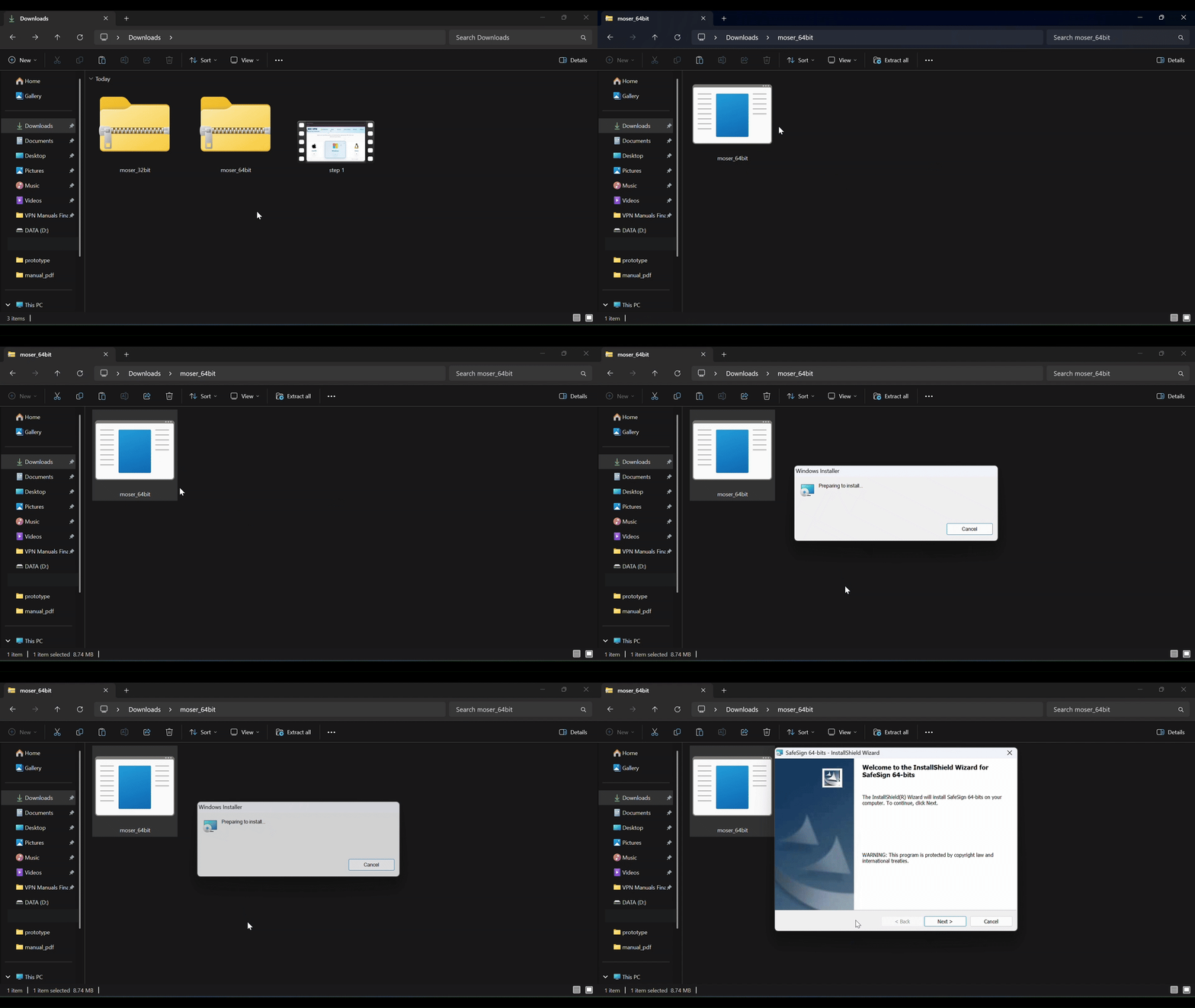
From the driver folder, double-click to install the appropriate file based on your system architecture (e.g., moser_64bit.exe or moser_32bit.exe).
Complete Installation Wizard
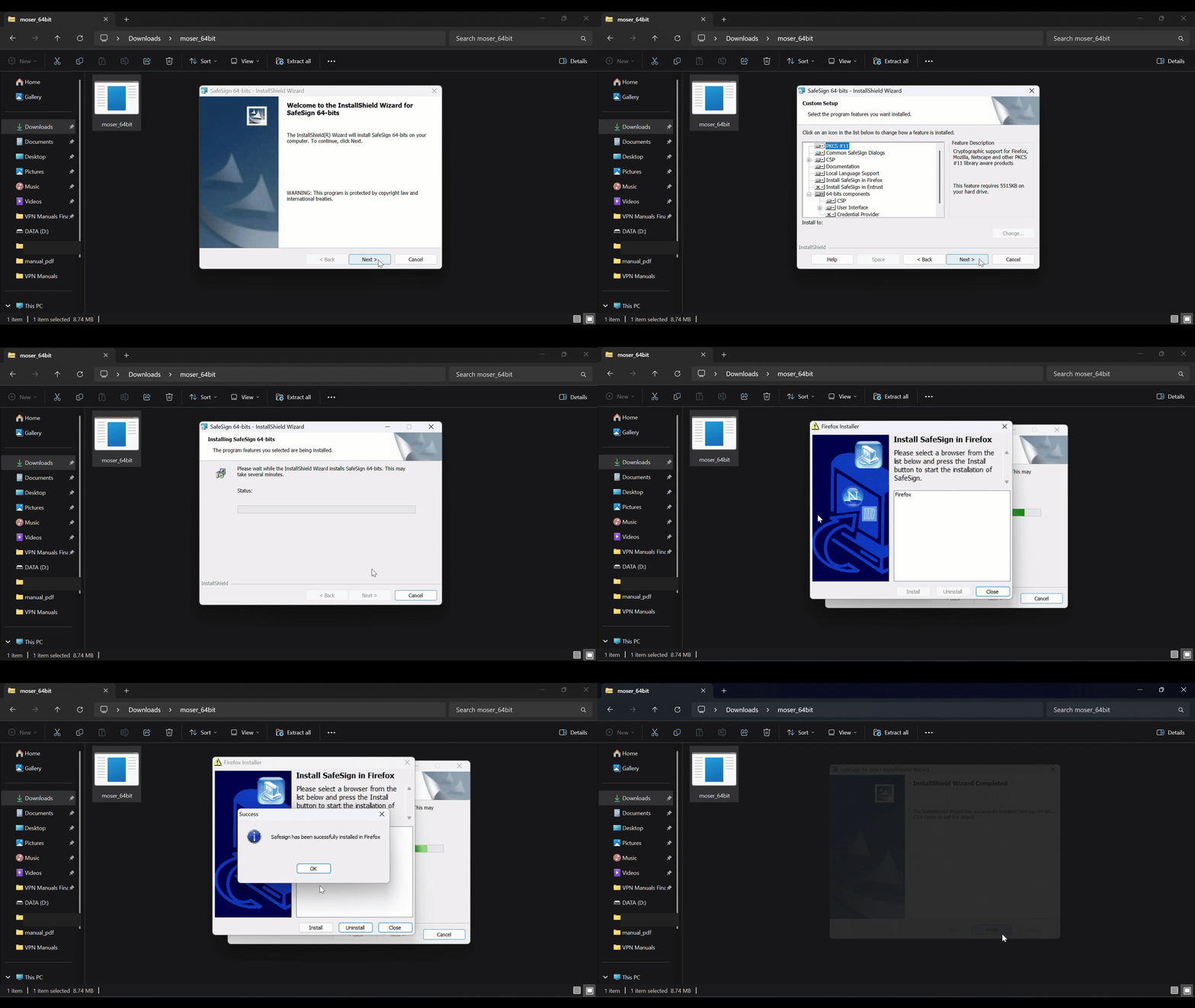
Click 'Next' through the InstallShield Wizard, select "I accept the terms in the license agreement", and click 'Install'. Once finished, click 'Finish' to exit.
2. Token Verification
Verify Operational Status
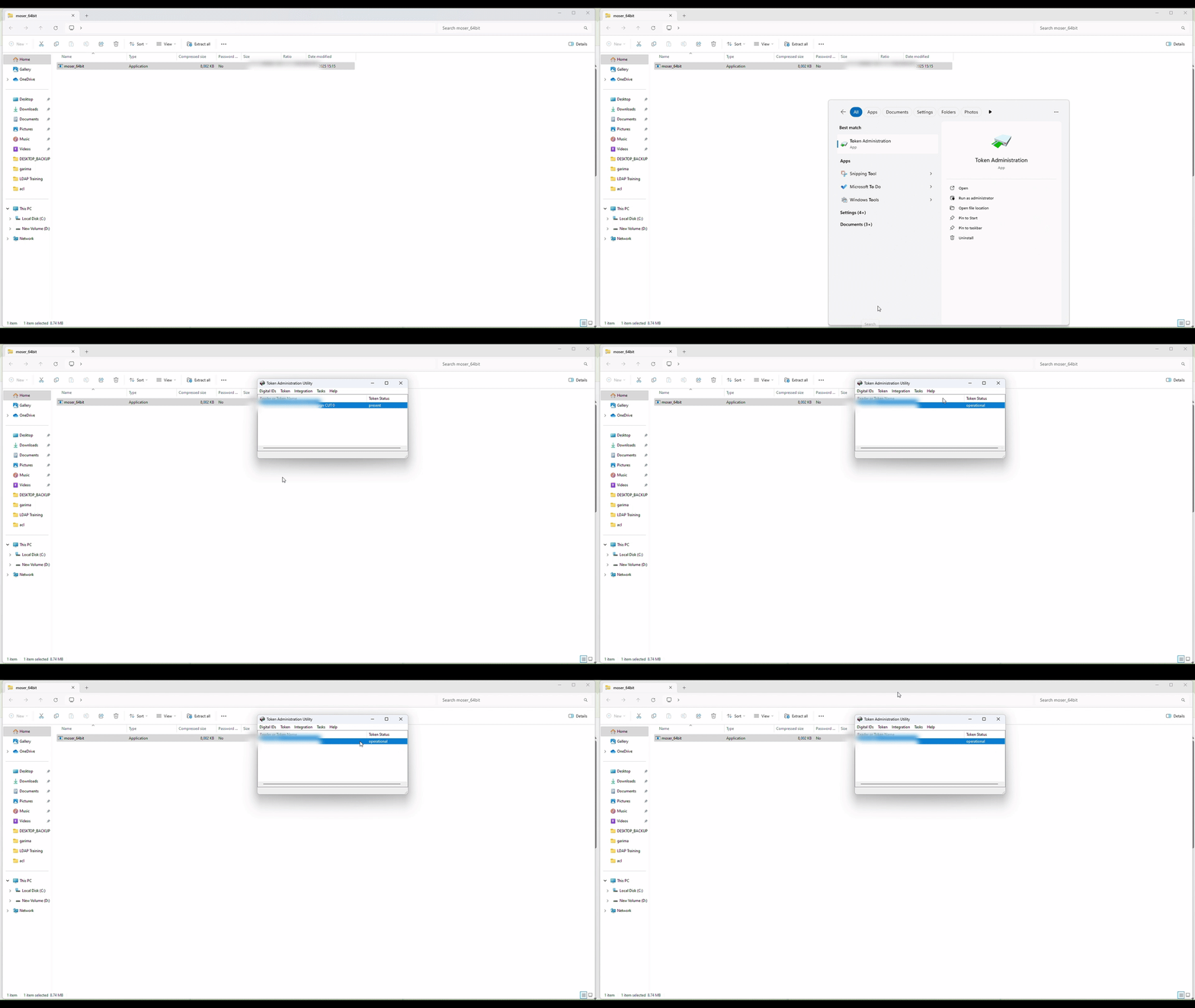
> After installing 'MoserBaer Driver' , 'Reboot' the system first.
> Open the 'Token Administration Utility'. Confirm that the 'Token Status' shows 'operational'. This confirms the driver is installed correctly and the token is ready to use.