A. Installation and Initial Setup
Download DSC (*.pfx file) received in the mail by clicking the download icon.

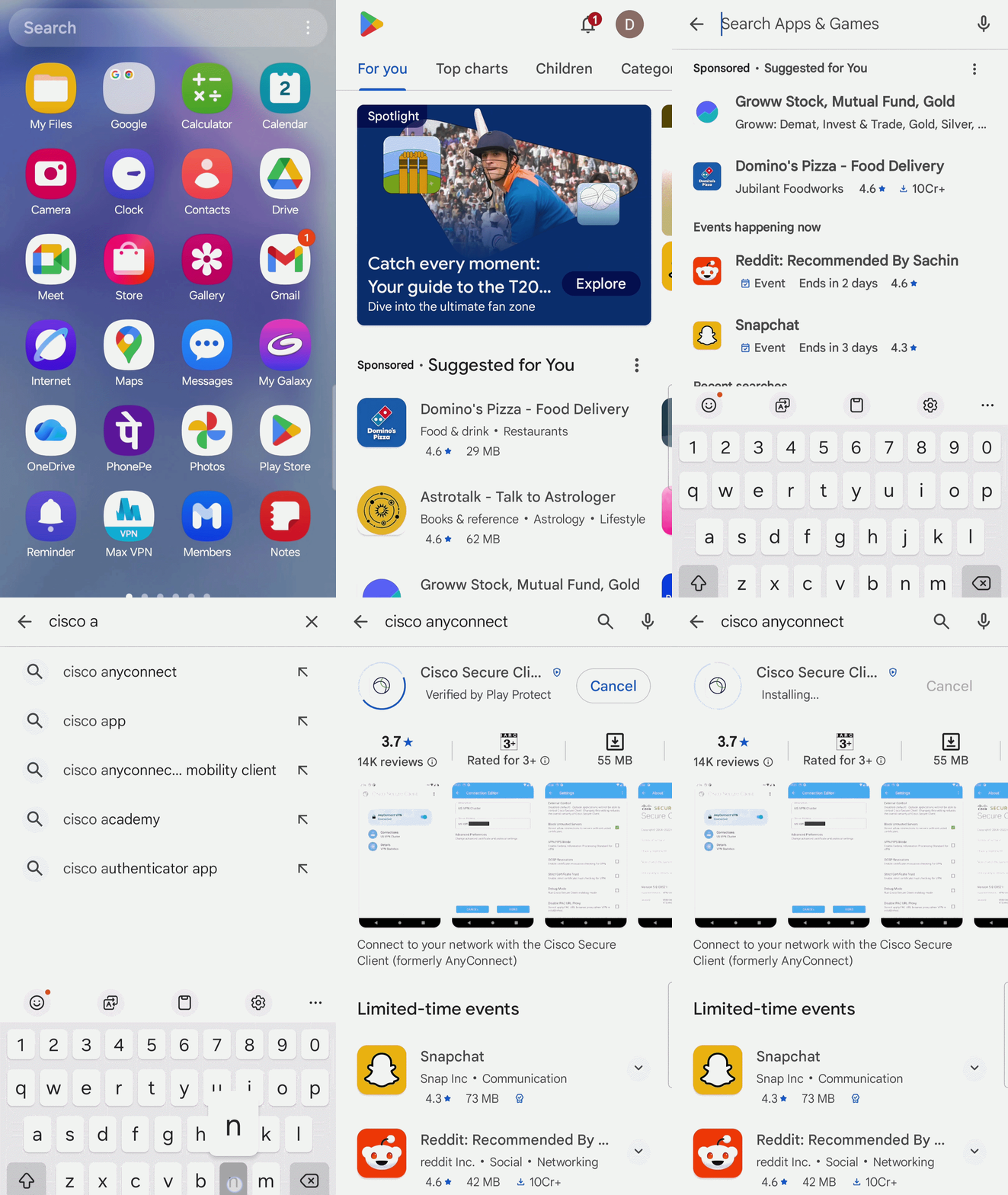
Open 'Play Store' and install 'AnyConnect' app as shown below:
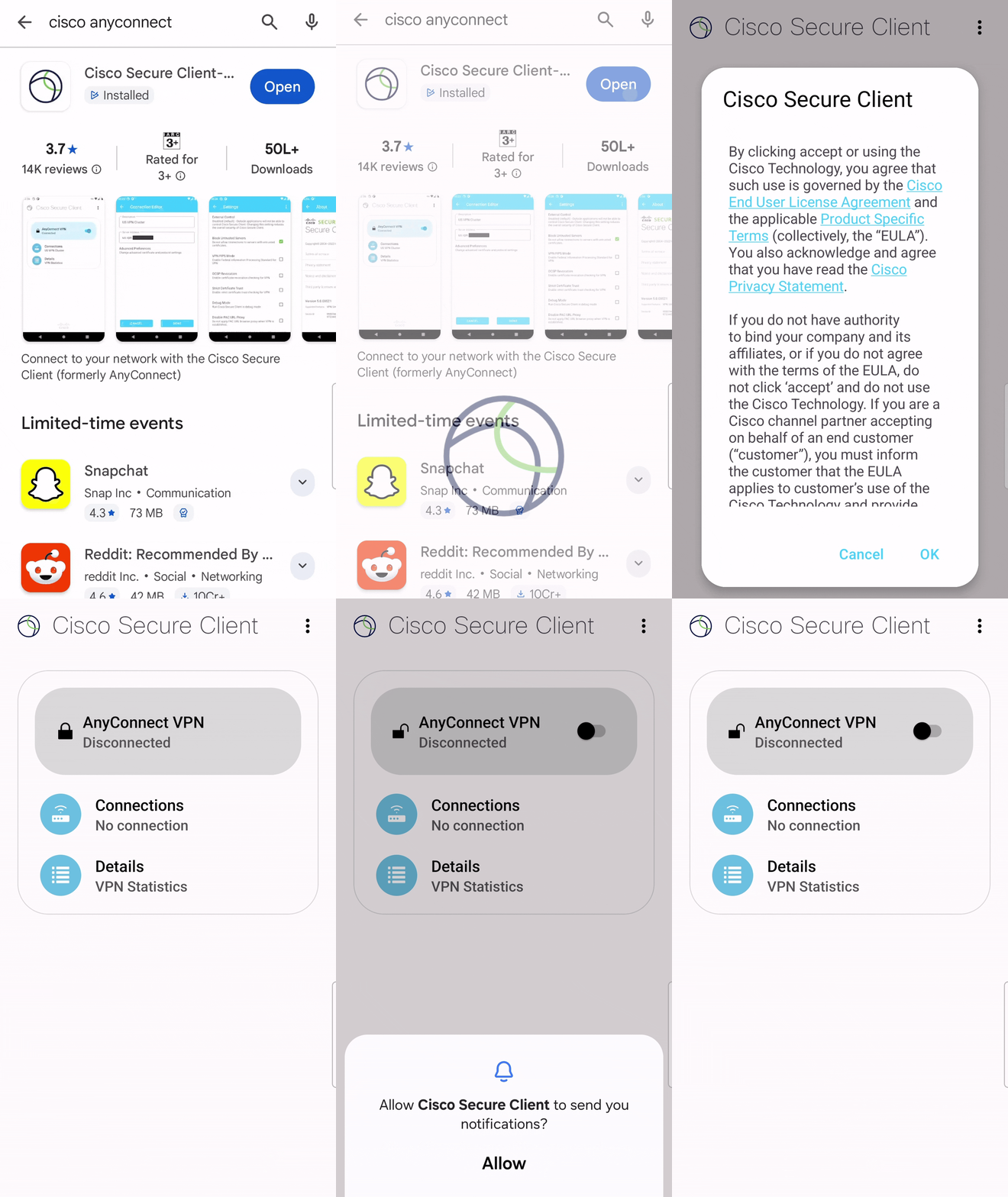
Open 'AnyConnect' App and Press Ok to the License Agreement
B. Adding New VPN Connection
> Click 'Connections' and then 'Add New VPN Connection'.
> Enter VPN Name into Description field.
> Enter VPN Server Address (sconnect.nic.in) into Server Address field.

C. Certificate Configuration
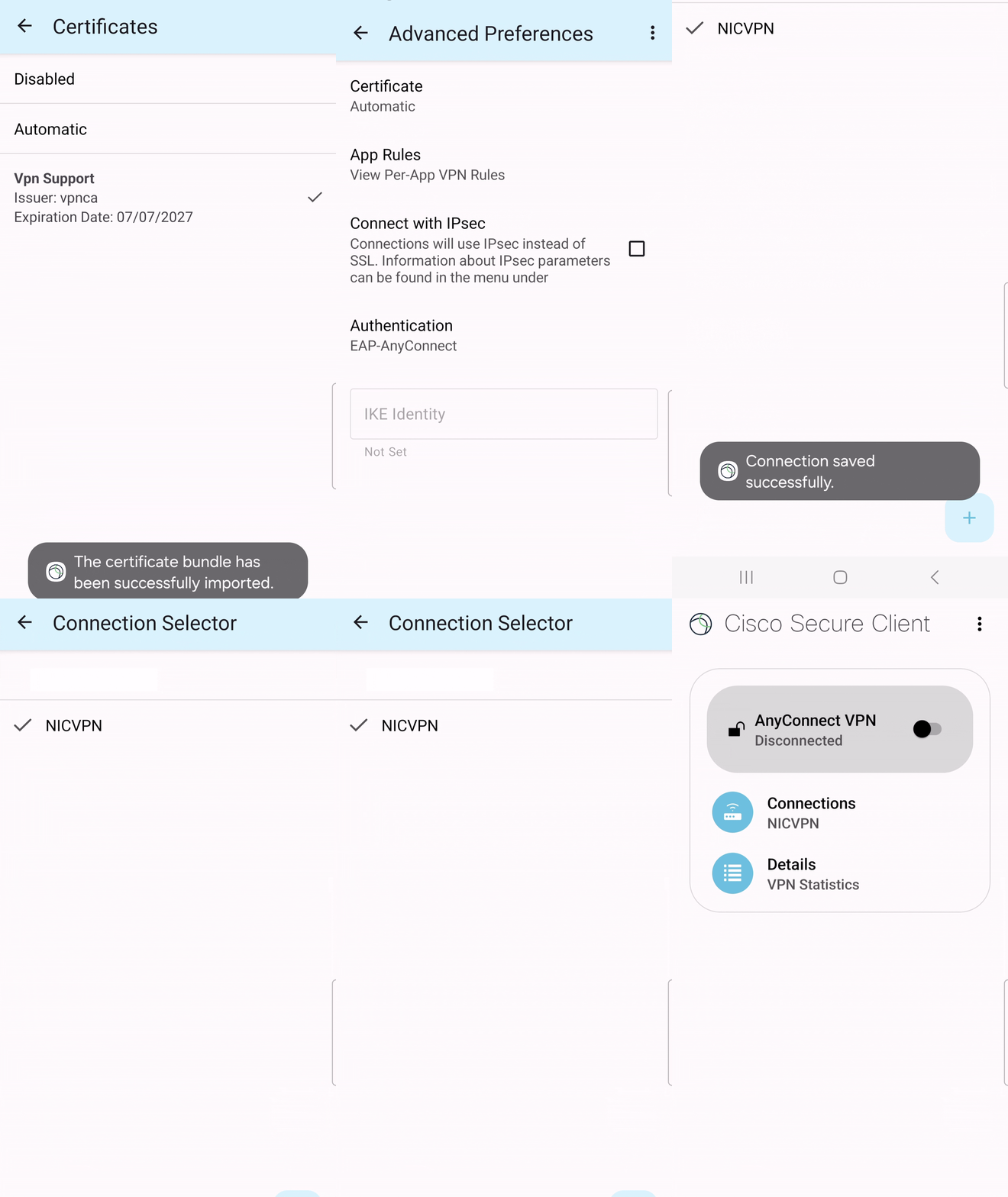
> Click 'Advanced Preferences' and then 'Certificate'.
> Click 'Import' as shown below:
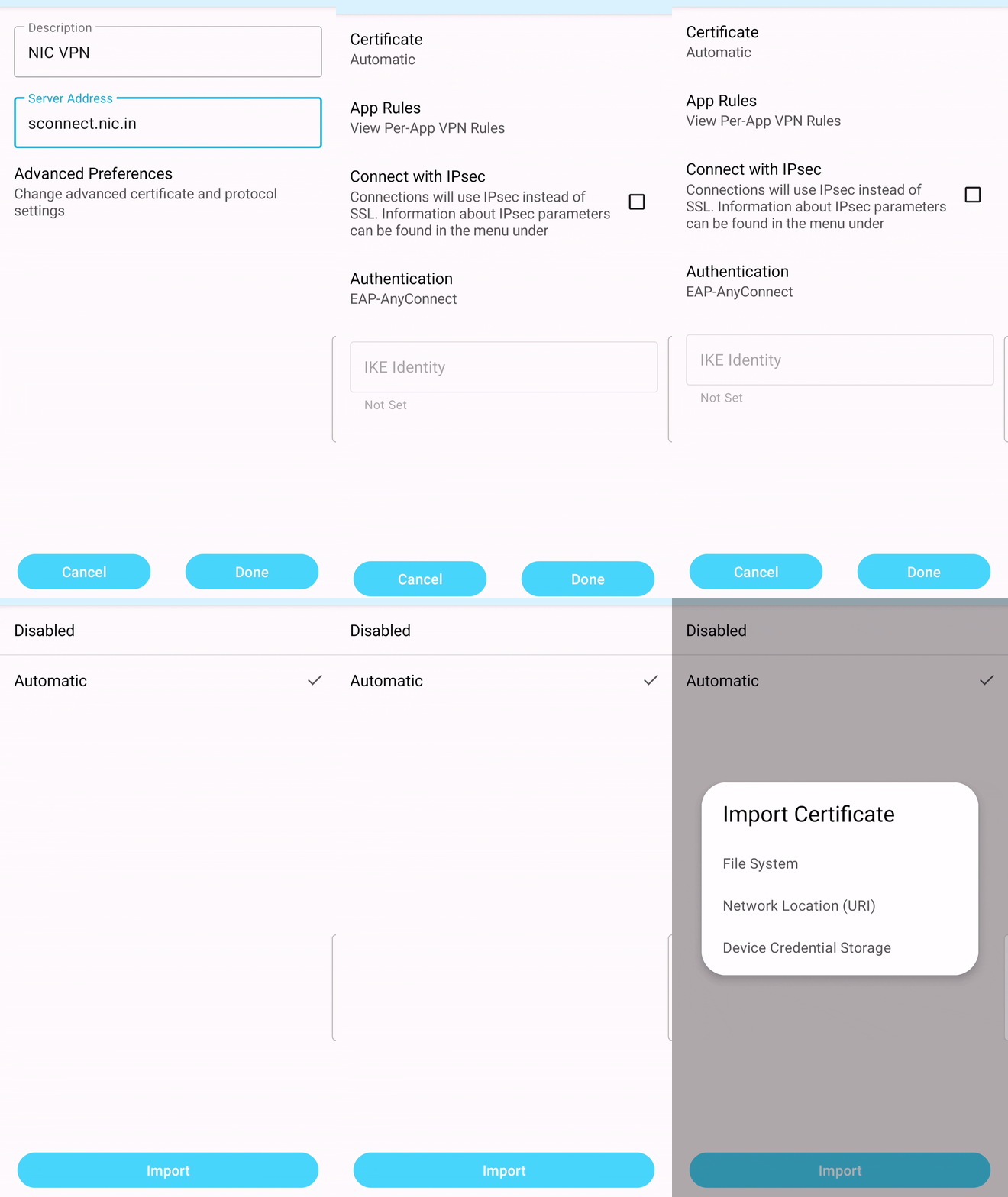
Click 'File System' and then Go to the location where DSC is placed in mobile and and import DSC with private key.

Go back to 'Advanced Preferences' and Click 'Done' and then Go back to 'Connection Selector'.
D. Connecting and Disconnecting VPN
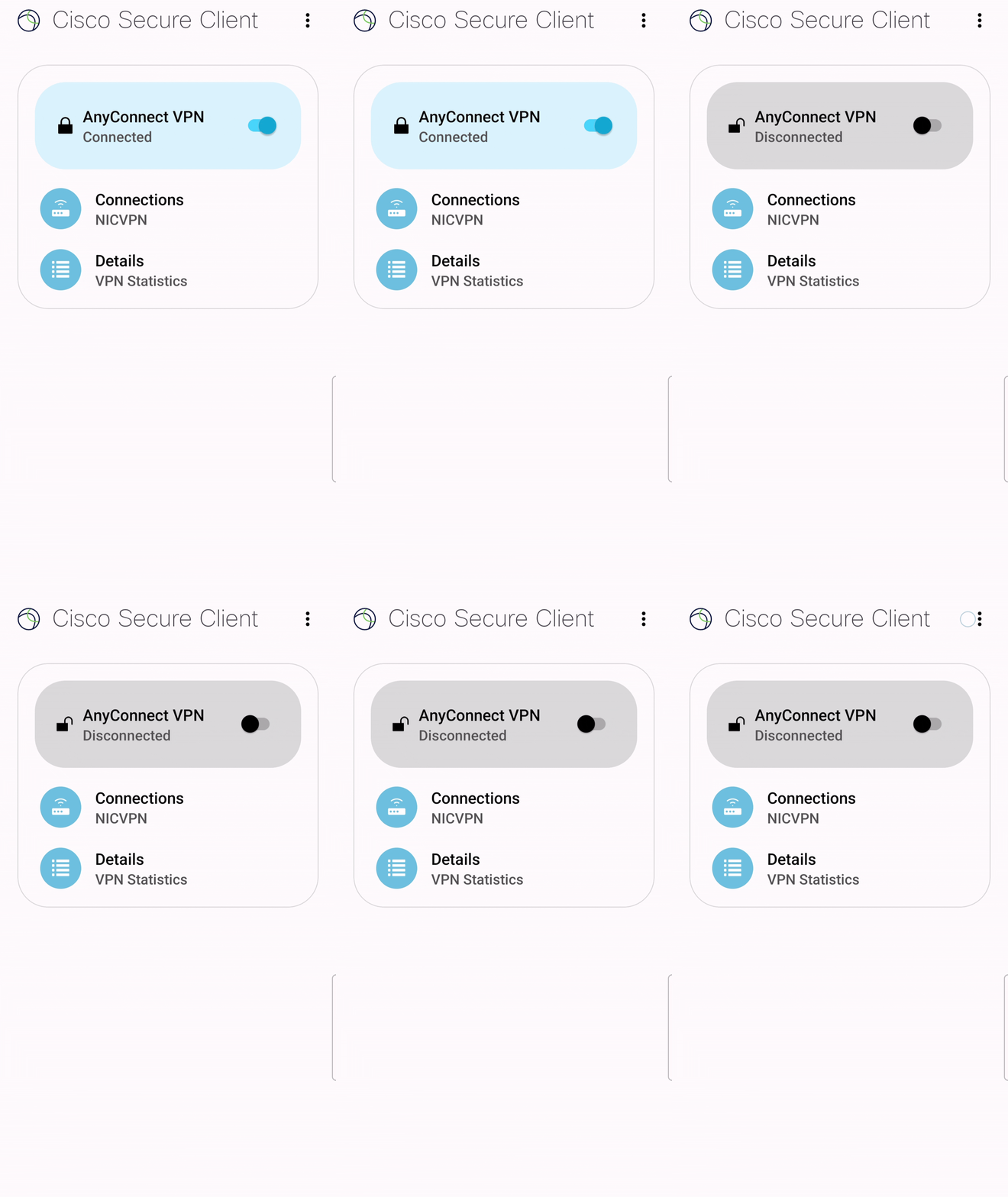
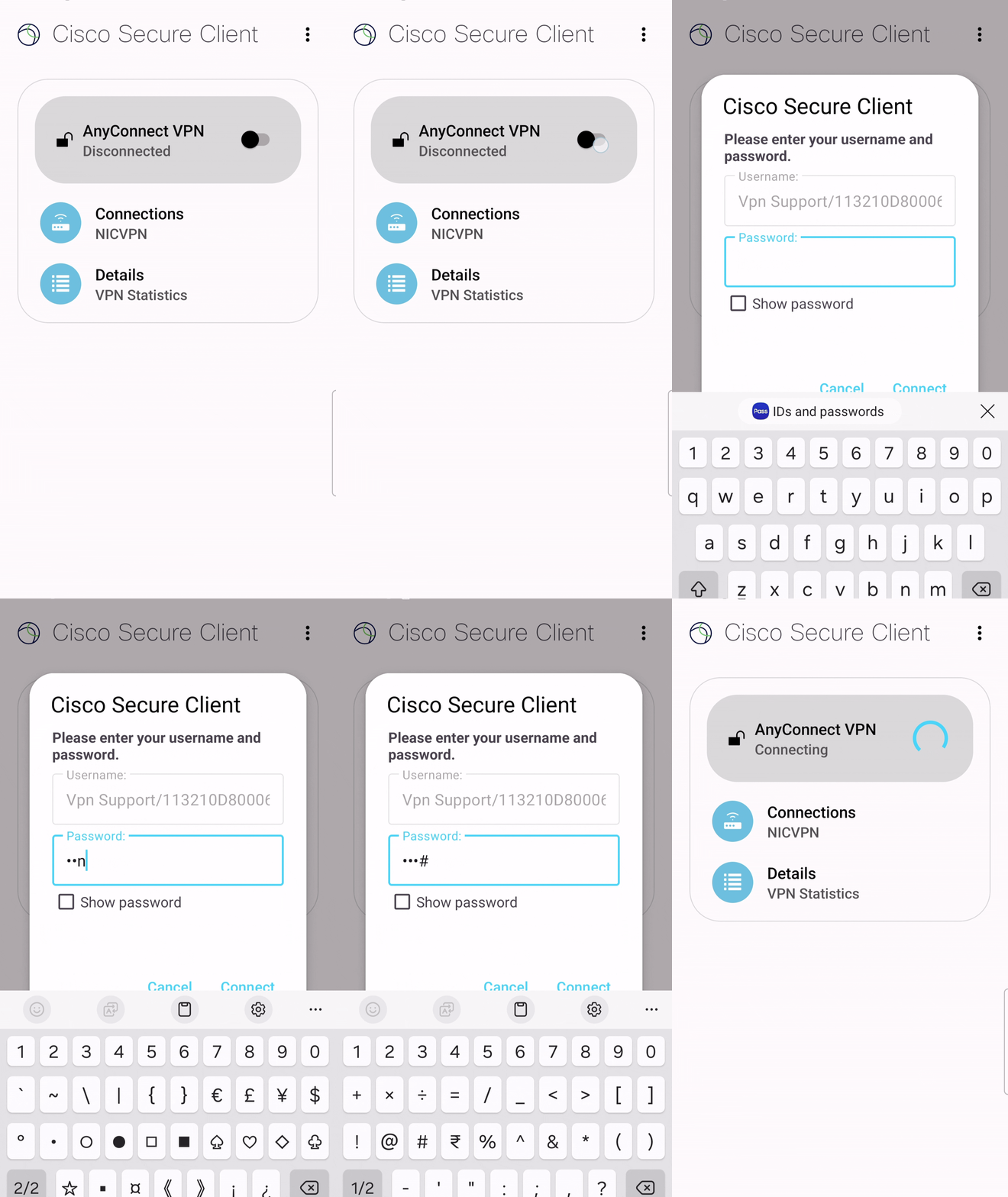
Click 'AnyConnect VPN' and now VPN username is coming prefilled. User need to enter VPN password and press 'CONNECT'.
Note: If user is connecting VPN first time then need to make 'New Password' as shown below otherwise need to enter existing VPN password.
Click 'Accept' and now user VPN connection is established. User can access servers that are allowed to user VPN.
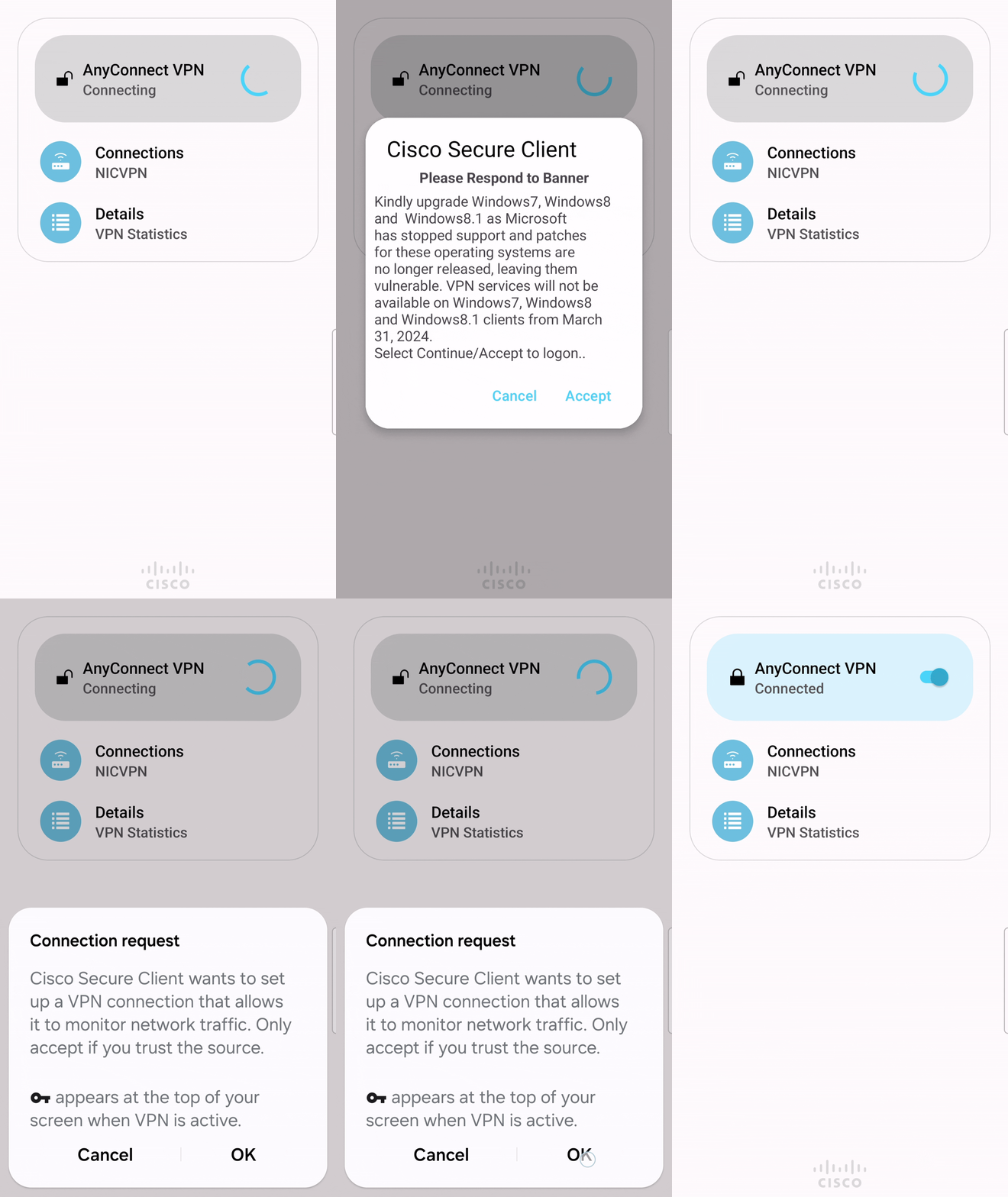
Click 'AnyConnect VPN' to Disconnect the VPN connection.