1. Mount Media
Mount the RHEL Installation Media
Attach or mount the ISO to the system.
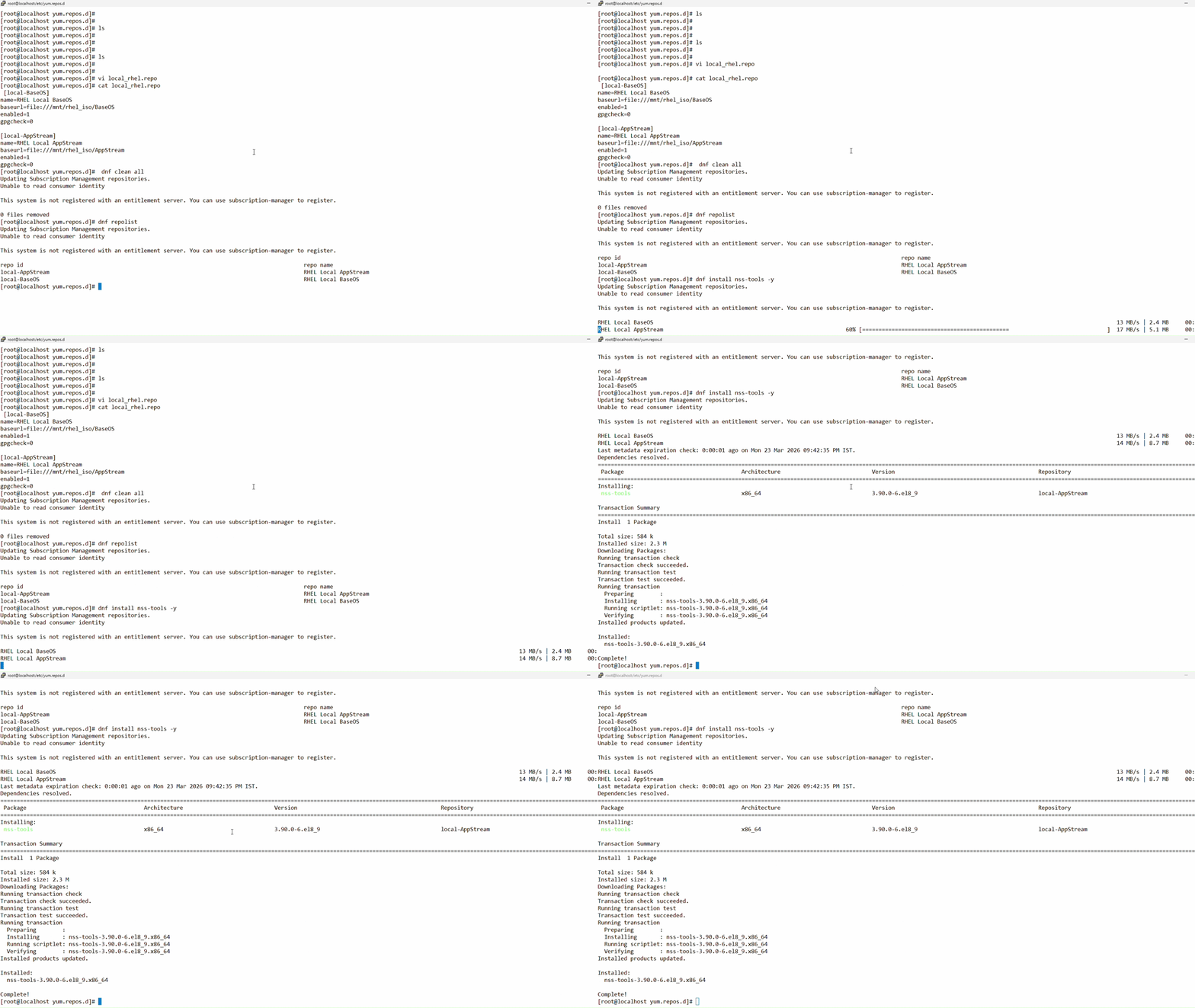
Create a mount point
Run the following command to create a mount point:
a) mkdir -p /mnt/rhel_iso
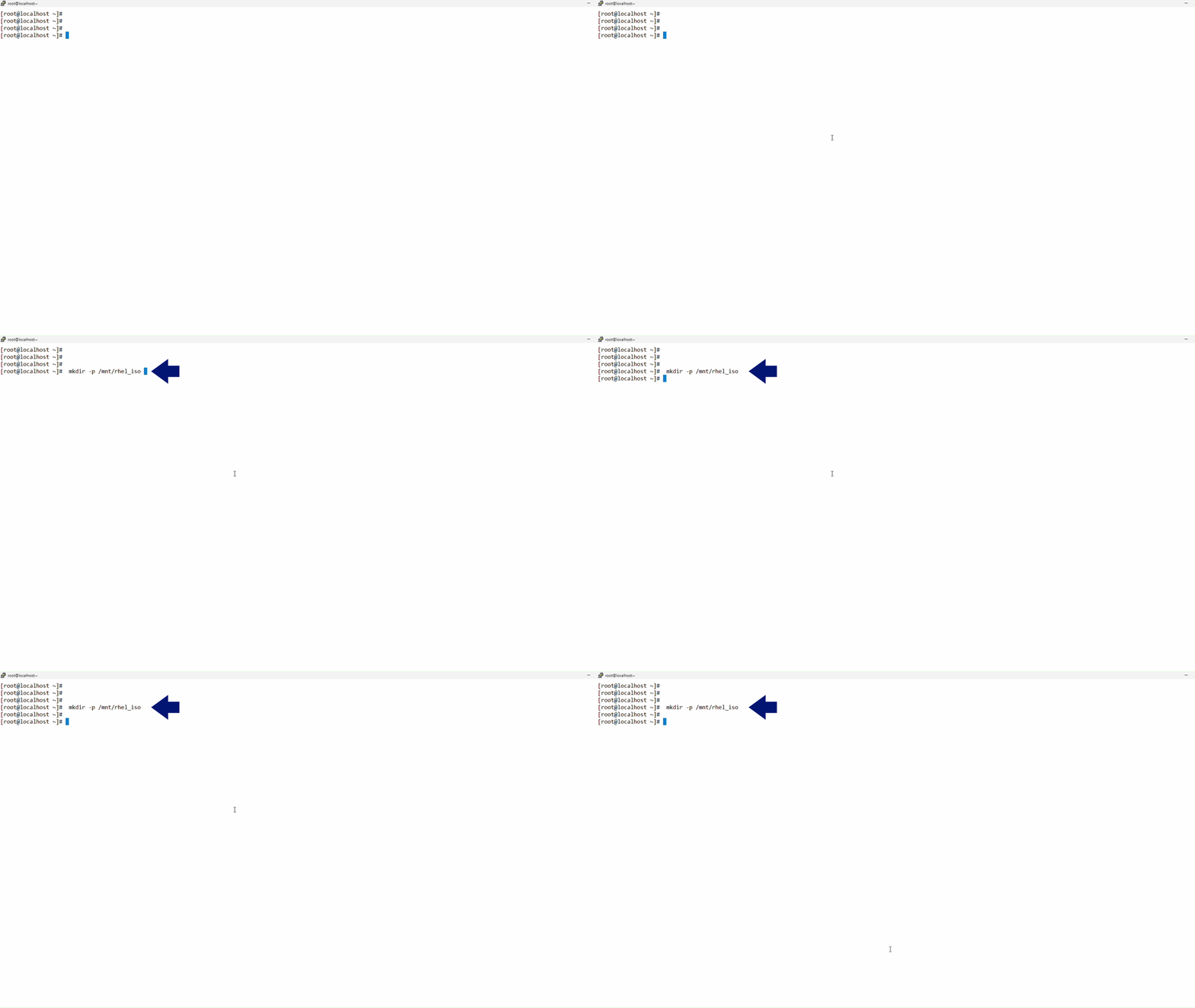
Mount the device
Run the following command to mount the device:
a) mount /dev/sr0 /mnt/rhel_iso
2. Local Repository
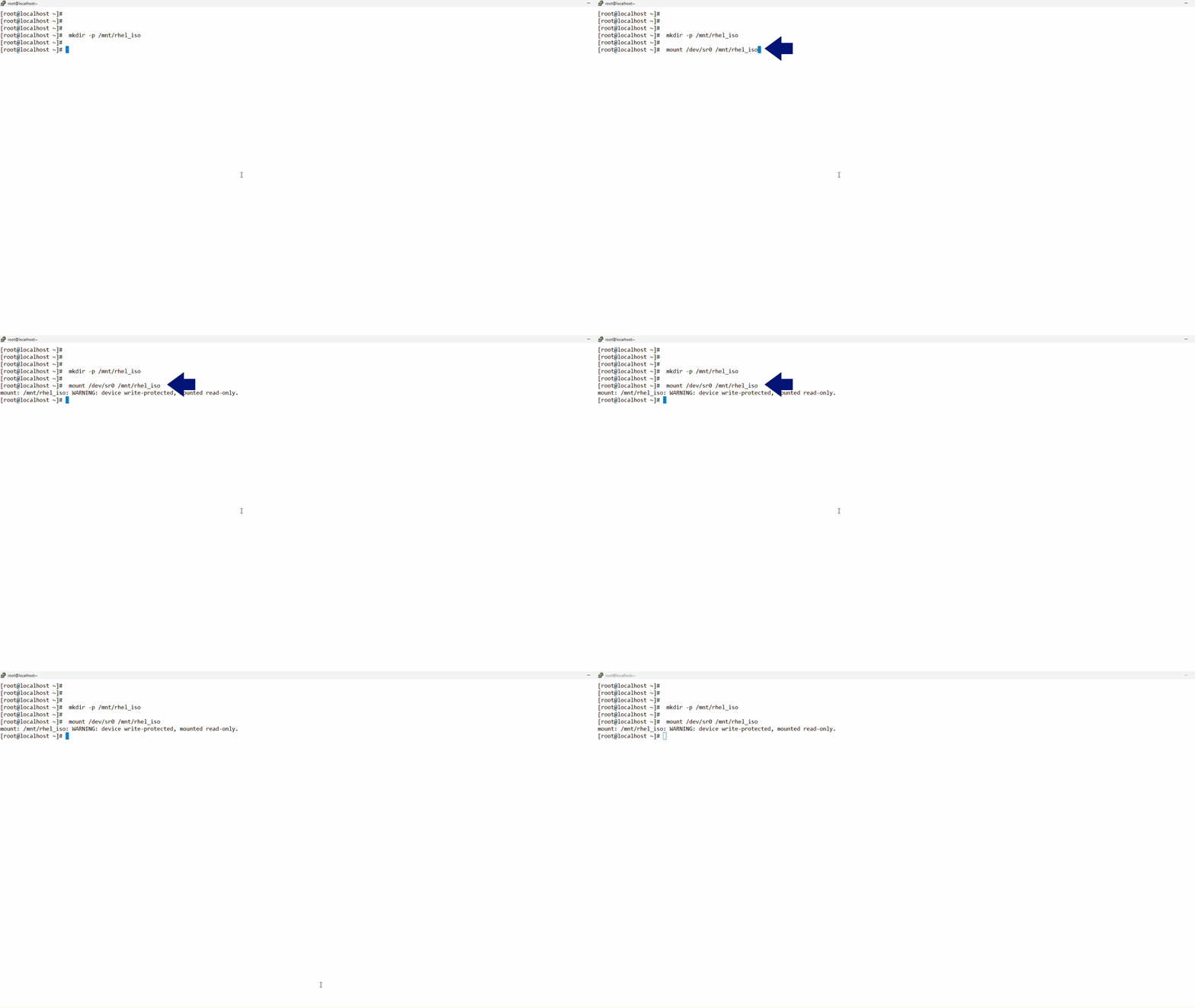
Create the Local Repository Configuration
Run the following commands to create the repository configuration file and paste the following configuration:
a) cd /etc/yum.repos.d/
b) vi local_rhel.repo
b) vi local_rhel.repo
Paste the following configuration:
[local-BaseOS]
name=RHEL Local BaseOS
baseurl=file:///mnt/rhel_iso/BaseOS
enabled=1
gpgcheck=0
[local-AppStream]
name=RHEL Local AppStream
baseurl=file:///mnt/rhel_iso/AppStream
enabled=1
gpgcheck=0
3. Install nss-tools
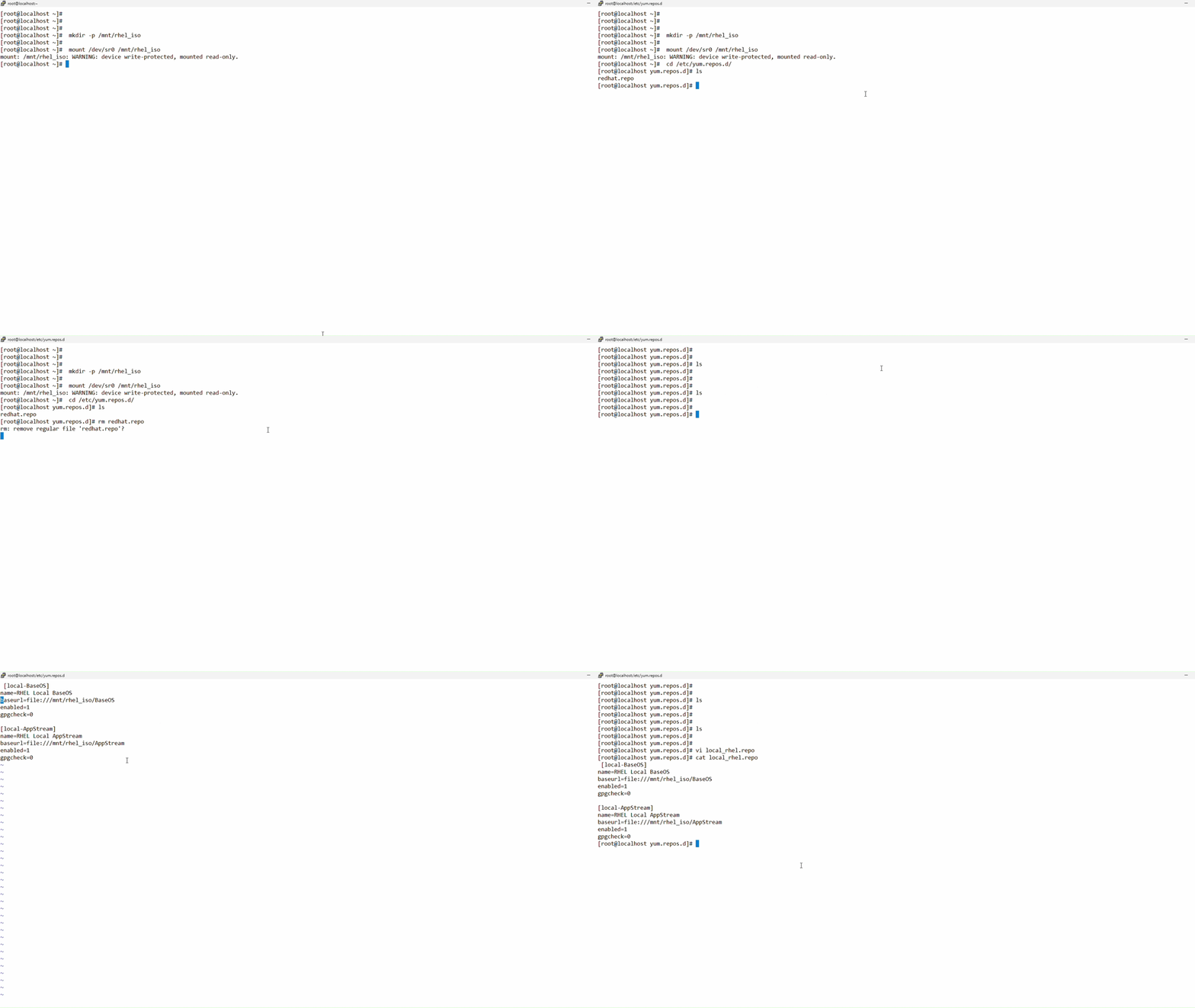
Verify and Clean Cache
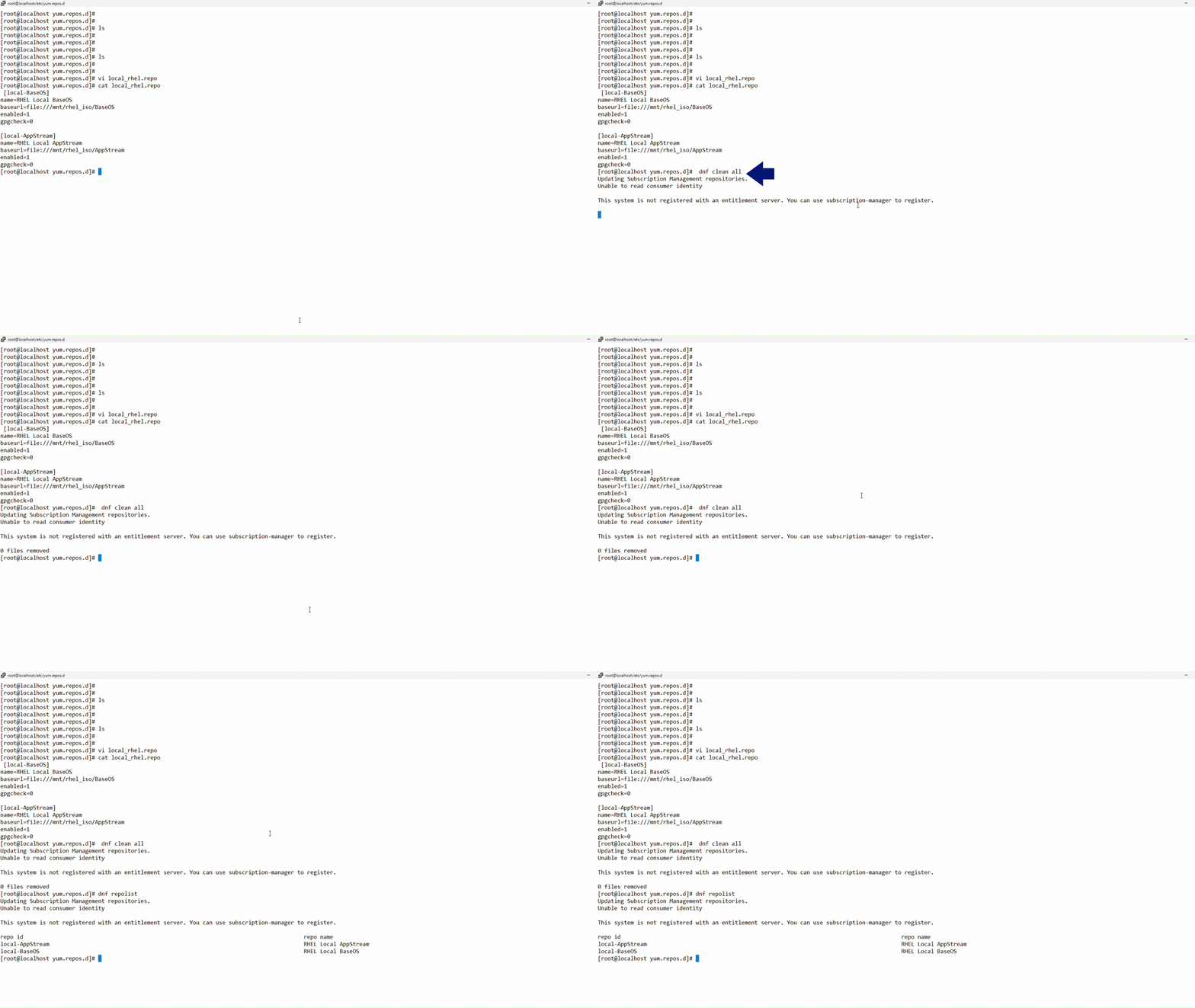
Run the following commands to verify the repository and clean the cache
a) dnf clean all
b) dnf repolist
b) dnf repolist
Install Package
Run the following command to install the nss-tools package
a) dnf install nss-tools -y